iOS 10の「メッセージ」アプリ内でスーパーマリオのスタンプ配信!
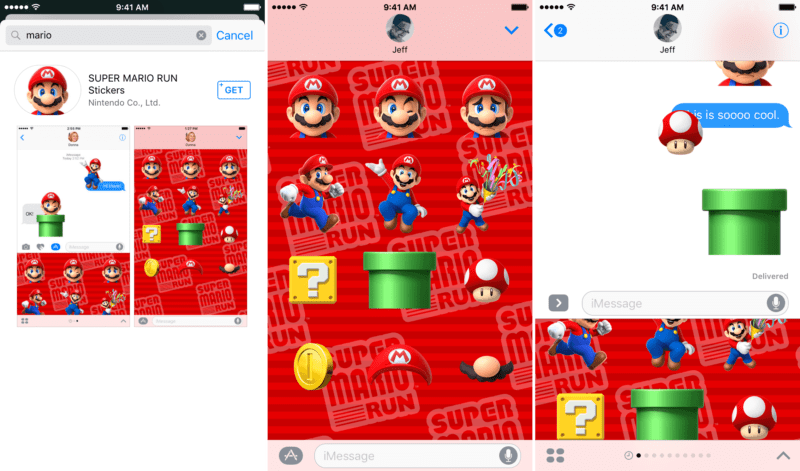
iOS 10では「メッセージ」(iMessage)アプリ内に拡張機能を組み込むことができますし。LINEのようなスタンプの利用も可能になっています。
さっそく、iMessage App Storeでマリオのステッカーパックが販売されているとのことです。手順は以下の通りです、(via 9 to 5 Mac)
Step 1: Launch iMessage.(メッセージアプリの起動)
Step 2: Open the App drawer.(App drawerを開く)
Step 3: Tap the ‘+’ to open the iMessage App Store interface.(「+」をタップし iMessage App Storeを呼び出す)
Step 4: Tap the search button in the upper left-hand corner.(左上隅にある検索ボタンをタップ)
Step 5: Search for Mario.(マリオを検索)
Step 6: Install the Super Mario Run iMessage sticker pack.(マリオラン・ステッカーパックのインストール)